Connect Clock PMS+
Last updated: 2026-05-07
The Clock PMS+ integration syncs bookings into Sigma Revenue and pushes rate and availability updates back to Clock PMS+. Once connected, the dashboard, pickup, and pace reports update automatically as new reservations arrive.
Before you start
- An active Clock PMS+ account with admin access.
- An active Sigma Revenue account.
Steps
Open AppConnector in Clock PMS+
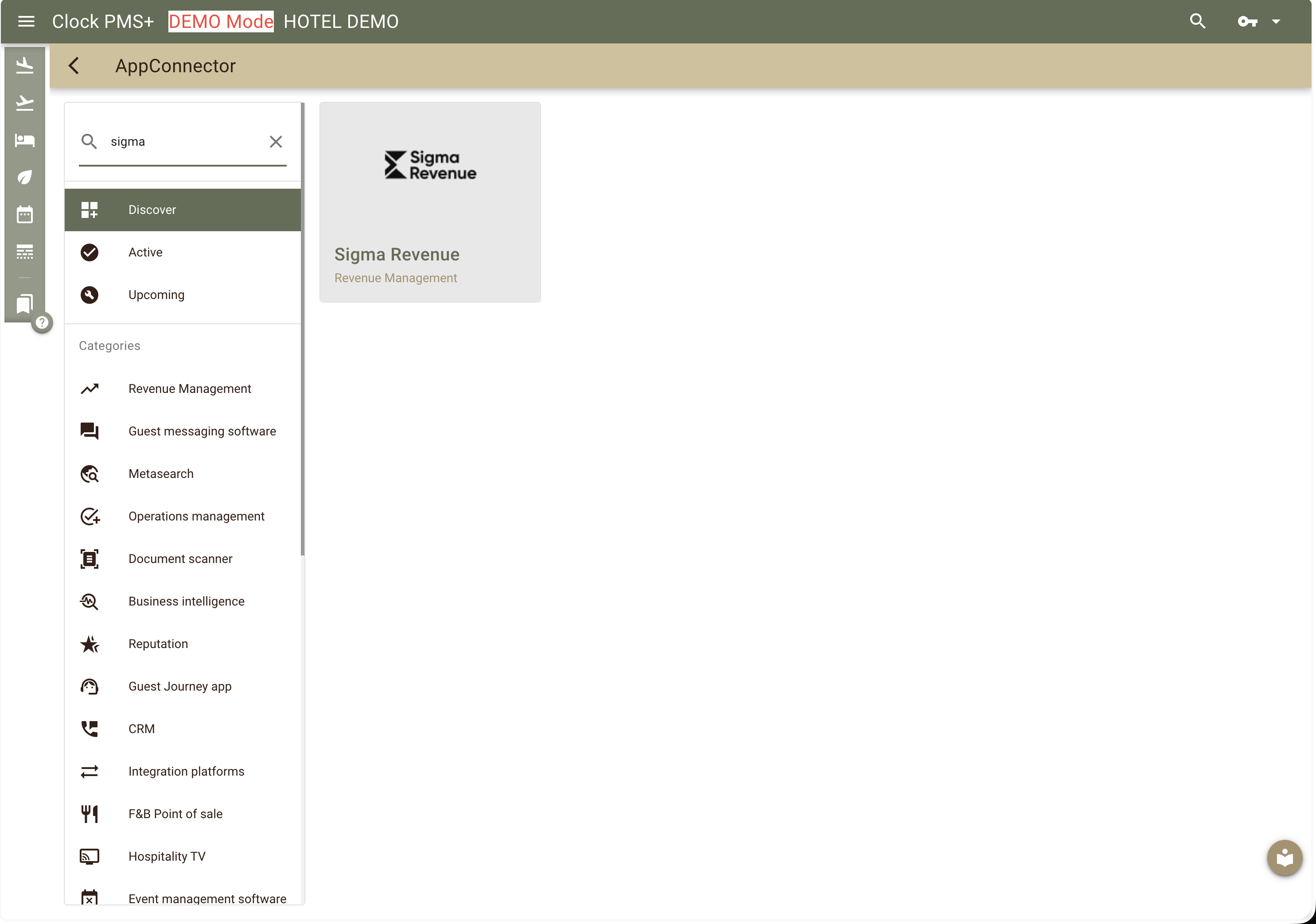
Log in to Clock PMS+. Open the Navigation menu → Settings → All settings (New) → AppConnector. Use the search box at the top left to find Sigma Revenue.
Enable the Sigma Revenue app
Click the Sigma Revenue tile and follow the on-screen prompts to enable it. That's everything you need to do on your side.
We take it from here
Once the app is enabled, our team handles the rest of the technical setup — pulling in your historical bookings, room types, and rates. This usually takes a few hours.
We'll reach out as soon as the sync is ready, so you can move on to the final step together with us (or on your own, if you prefer).
Map your rooms
In Sigma Revenue, open Settings → Room Configuration. Match each Clock PMS+ room type to a Sigma Revenue room and pick one as the reference room (the baseline used for relative pricing).
See Room Configuration for the full walkthrough. Our team is happy to do this with you on a quick call.
Verifying the connection
Open the KPI dashboard. Once room mapping is complete and the historical sync has finished, you'll see occupancy and booking pace populating with your live data, and price recommendations will start generating automatically.
Common gotchas
- Timezone mismatch. Make sure your Clock PMS+ property timezone matches your Sigma Revenue account timezone (Settings → General). Mismatches show up as off-by-one date errors in the pace report.
- Unmapped room types are ignored. If you add a new room type in Clock PMS+, return to Settings → Room configuration to map it.
- Closed dates show zero availability. Blocked or out-of-order rooms in Clock PMS+ appear as zero availability in Sigma Revenue — this is expected.